Frequently Asked Questions
Everything you need to know about Etto Climbing
General
App Installation
Install on iPhone/iPad (iOS)
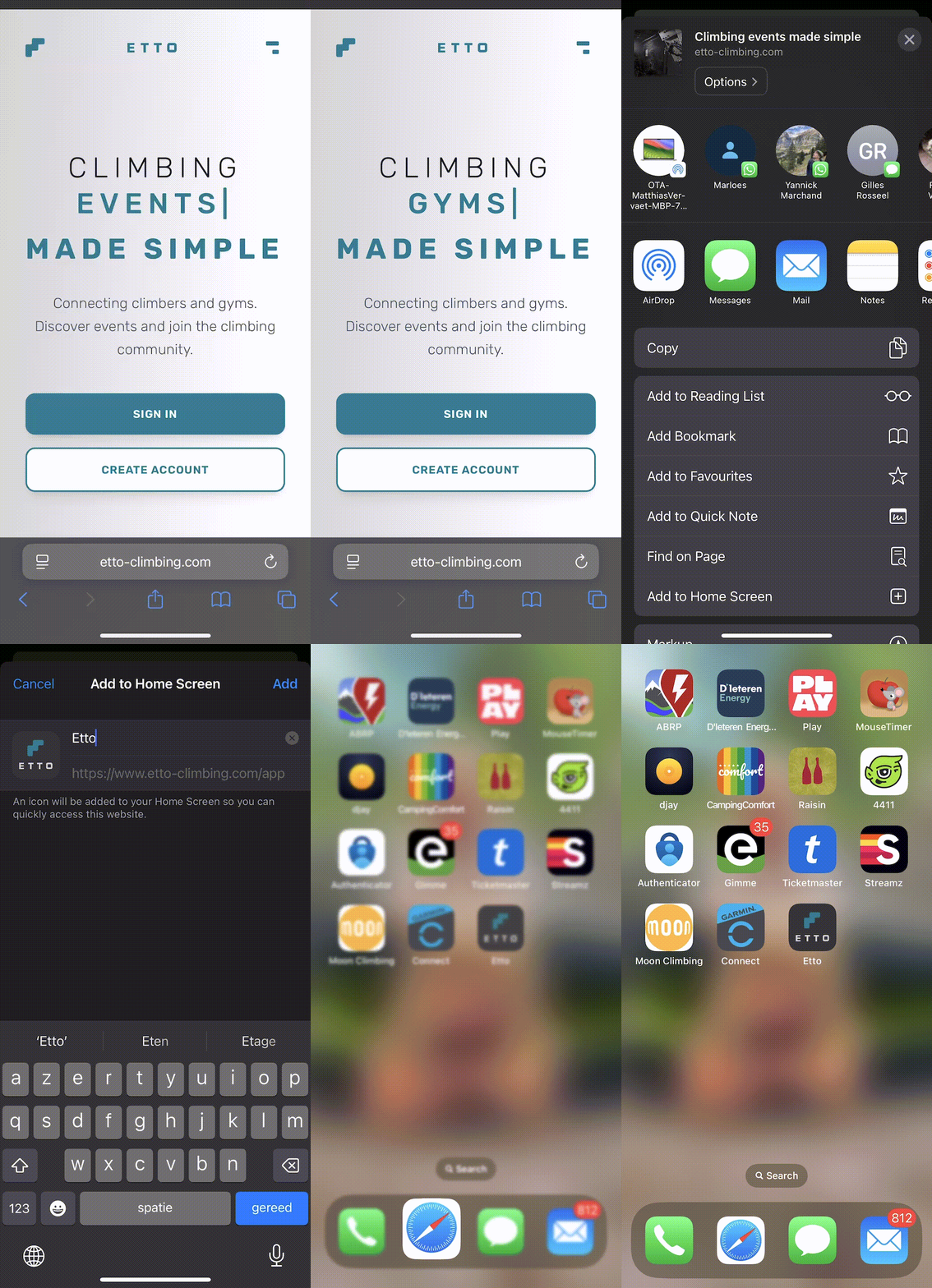
Open Safari Browser
Navigate to etto-climbing.com in Safari (this only works in Safari, not Chrome or other browsers)
Tap the Share Button
Tap the share button (square with arrow pointing up) at the bottom of your screen
Add to Home Screen
Scroll down and tap "Add to Home Screen"
Name and Confirm
You can customize the name (default is "Etto"), then tap "Add" in the top right corner
Done! The Etto app icon will now appear on your home screen. Tap it to launch the app in full-screen mode.
Install on Android
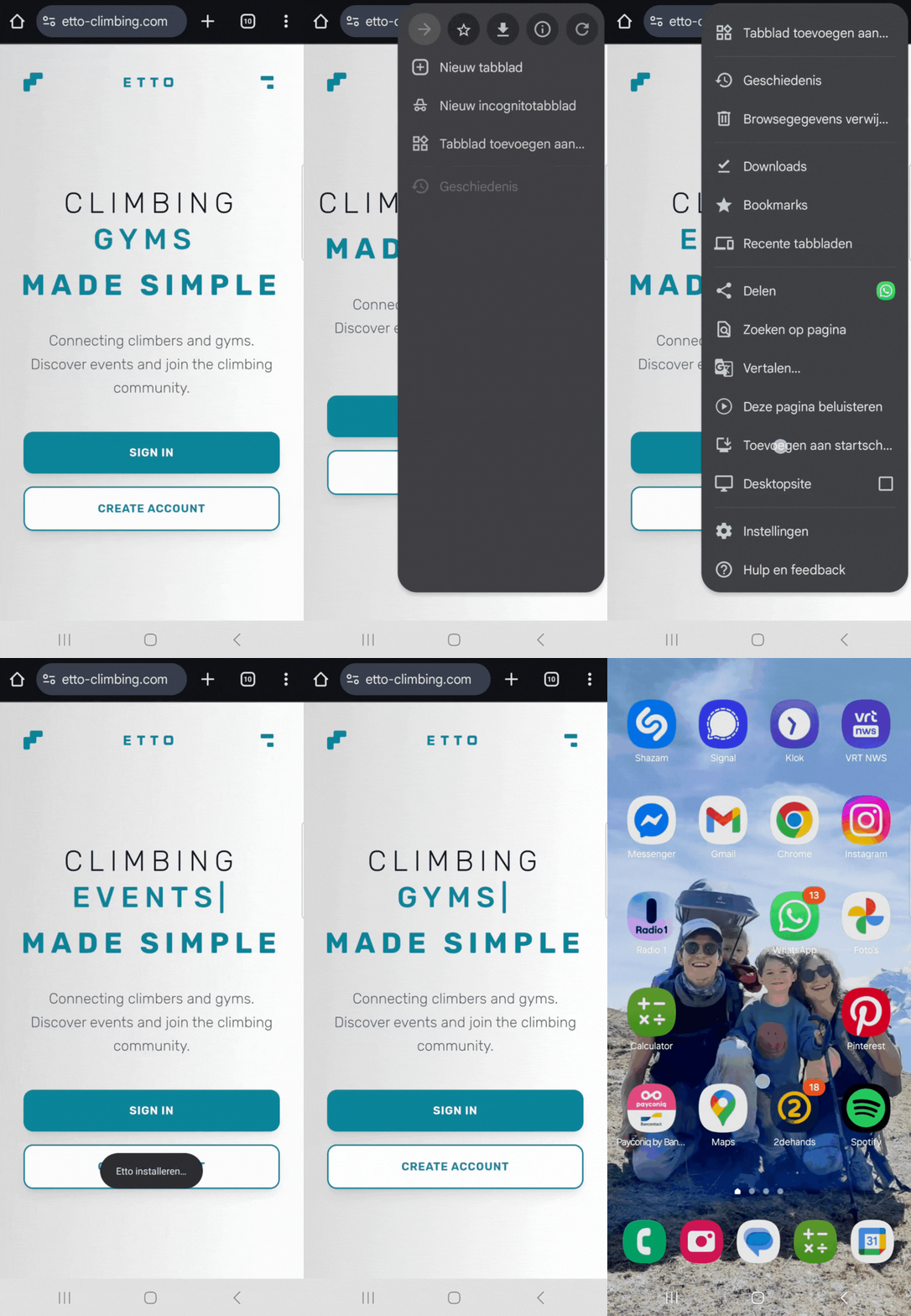
Open Chrome Browser
Navigate to etto-climbing.com in Chrome (or your preferred browser)
Open Menu
Tap the three dots menu (⋮) in the top right corner of Chrome
Install App
Look for "Install app" or "Add to Home screen" option and tap it
Confirm Installation
Tap "Install" in the popup dialog to confirm
Done! The Etto app will be installed and can be accessed from your app drawer or home screen.
Why install the app?
Faster Access
Launch the app directly from your home screen without opening a browser
Full-Screen Experience
Enjoy the app without browser toolbars for a native app feel
Need help?
If you're having trouble installing the app, please contact us at info@etto-climbing.com